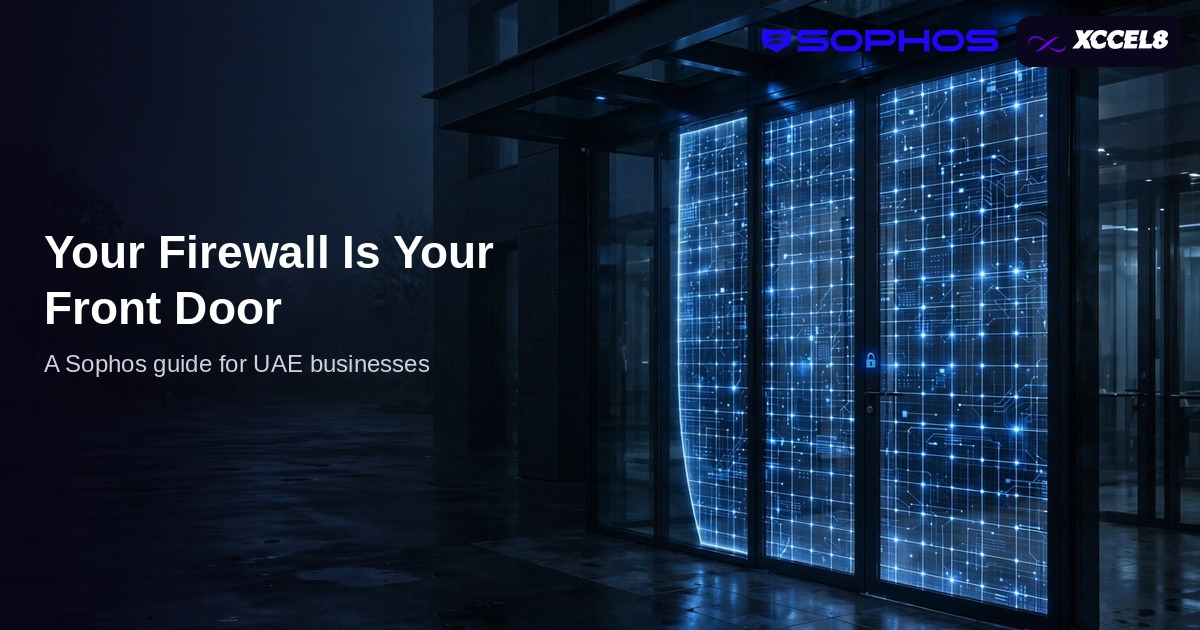
Think of your firewall the way you think of your office front door — because to an attacker, that is exactly what it is. Every connection between your network and the internet passes through it: your team’s browsing, your email, your cloud applications, your remote staff logging in from home. A modern Sophos firewall, properly configured and actively managed, checks what comes through that door and turns away what should never have arrived. Left on factory settings in a cupboard, it is a door with the key under the mat.
This guide explains what next-generation firewall protection actually covers, why the set-and-forget approach fails quietly, and what managed setup and monitoring look like in practice for a UAE business.
Key takeaways
- The firewall is the single checkpoint between your office network and the internet — every attack, update and login passes through it.
- Next-generation protection goes far beyond the old block-and-allow list: intrusion prevention, application control, web filtering and encrypted-traffic inspection.
- Secure VPN connections let remote and home workers reach office systems through the same checked door, not around it.
- Firewalls fail by neglect, not by defect: outdated firmware, rules nobody reviewed and alerts nobody read.
- Managed setup and monitoring keep rules, firmware and threat updates current — and a free health check shows where an existing firewall stands.
What does a next-generation firewall actually do?
The first firewalls simply decided which doors were open and which were shut. A next-generation firewall still does that, but it also inspects what is passing through. It examines traffic for intrusion attempts, known attack patterns and connections to malicious servers; it controls which applications can run across the network; and it filters web categories so a careless click on a compromised site is stopped at the door rather than on someone’s laptop.
That inspection matters more every year because so much traffic is now encrypted. A firewall that cannot look inside encrypted connections is checking the envelope and waving the letter through. Modern Sophos firewalls are built to inspect that traffic and act on what they find, while reporting what they see in a console your IT team — or ours — can actually read.
The firewall also anchors your wider security. It is where internet connections from multiple providers can be balanced and failed over, where guest Wi-Fi is kept separate from business systems, and where the network segments that protect your most sensitive data begin. You can see how we supply, set up and support Sophos across a business on our Sophos services page.
How does the firewall protect people working from home?
The office door only guards people who walk through it. Remote staff reach your systems over the internet, and if that connection is not protected, they are effectively entering through a window. A properly configured firewall provides encrypted VPN access, so a home worker’s connection to office files, applications and phone systems travels through the same inspected checkpoint as everyone in the office.
That has a second benefit: consistency. The same web filtering, the same application rules and the same logging apply whether someone is at their desk or at a kitchen table in another emirate. When something goes wrong — a lost laptop, a suspicious login — there is one place to look and one place to shut the door.
Why does set-and-forget fail?
Because the threats move and the firewall does not — unless someone moves it. Firmware updates close newly discovered weaknesses in the firewall itself; threat intelligence updates teach it this month’s attack patterns; and your own network changes constantly as staff join, leave and bring new applications with them. A rule written for a project two years ago may still be holding a door open that nobody remembers unlocking.
The failure is silent. Nothing beeps. The box keeps passing traffic, the lights keep blinking, and the gap between what the firewall was configured to stop and what attackers are now attempting widens month by month. Most firewall problems we find on a first health check are not dramatic: they are expired licences, unpatched firmware, rules with no owner and alerts that have been emailing an inbox nobody opens since a staff member left.
This is why a firewall belongs in the same managed rhythm as the rest of your security — reviewed alongside your endpoints and access controls as part of your overall cyber security setup, not treated as a one-off purchase.
What does managed firewall care include?
It starts with correct setup: your internet connections, network segments, VPN access for remote staff, web and application rules matched to how your business actually works, and logging that someone will genuinely read. A firewall configured around your real traffic protects far better than one left on defaults, because defaults are written for an average business that does not exist.
Then the rhythm: firmware and threat updates applied on schedule, rules reviewed as your team and tools change, alerts monitored so an unusual pattern is investigated rather than archived, and periodic health checks that report the firewall’s posture in plain language. If a connection fails or a branch is added, the configuration changes with it — one console, one record, no folklore about “the rule Ahmed added in 2023”.
If you already have a Sophos firewall, a free health check is the honest starting point: we review the configuration, firmware, licences and rules, and tell you plainly what is sound and what is not. If you are choosing a firewall for a new office, the same conversation sizes the model to your connections and headcount from the start.
Frequently Asked Questions
We already have a firewall. Do we need a new one?
Not necessarily. Many firewalls in service are capable hardware running neglected configuration. A health check establishes whether yours needs replacing, updating or simply managing properly — we will tell you which, and why.
What is the difference between our router and a firewall?
A router moves traffic; a next-generation firewall inspects it. Your internet provider’s router connects you, but it does not examine traffic for intrusions, filter malicious websites or provide managed VPN access with business rules. That inspection layer is the firewall’s job.
Can our staff work from home securely through it?
Yes. We configure encrypted VPN access so remote staff reach office systems through the firewall’s checks, with the same filtering and logging as staff in the office — and access can be withdrawn instantly when someone leaves.
How often should a firewall be reviewed?
Firmware and threat updates should be applied continuously as they are released, and the rule set reviewed whenever the business changes — new staff, new applications, new premises — with a full health check at least annually. Managed care folds all of this into a routine.
What does the free firewall health check cover?
We review your existing Sophos firewall’s firmware status, licence status, rule set, VPN configuration and alerting, and report what we find in plain language — what is sound, what is a risk, and what we would change first. There is no obligation attached.
See how we supply, set up and manage Sophos firewalls for UAE businesses.